For iPhone, Android and the web · in rupees
Know where every rupee went.
Spenzo keeps your bank accounts, cards and cash in one place, holds you to a monthly budget and splits the trip bill with friends. On iPhone it can log a card payment straight from your bank's SMS, without you typing a thing.
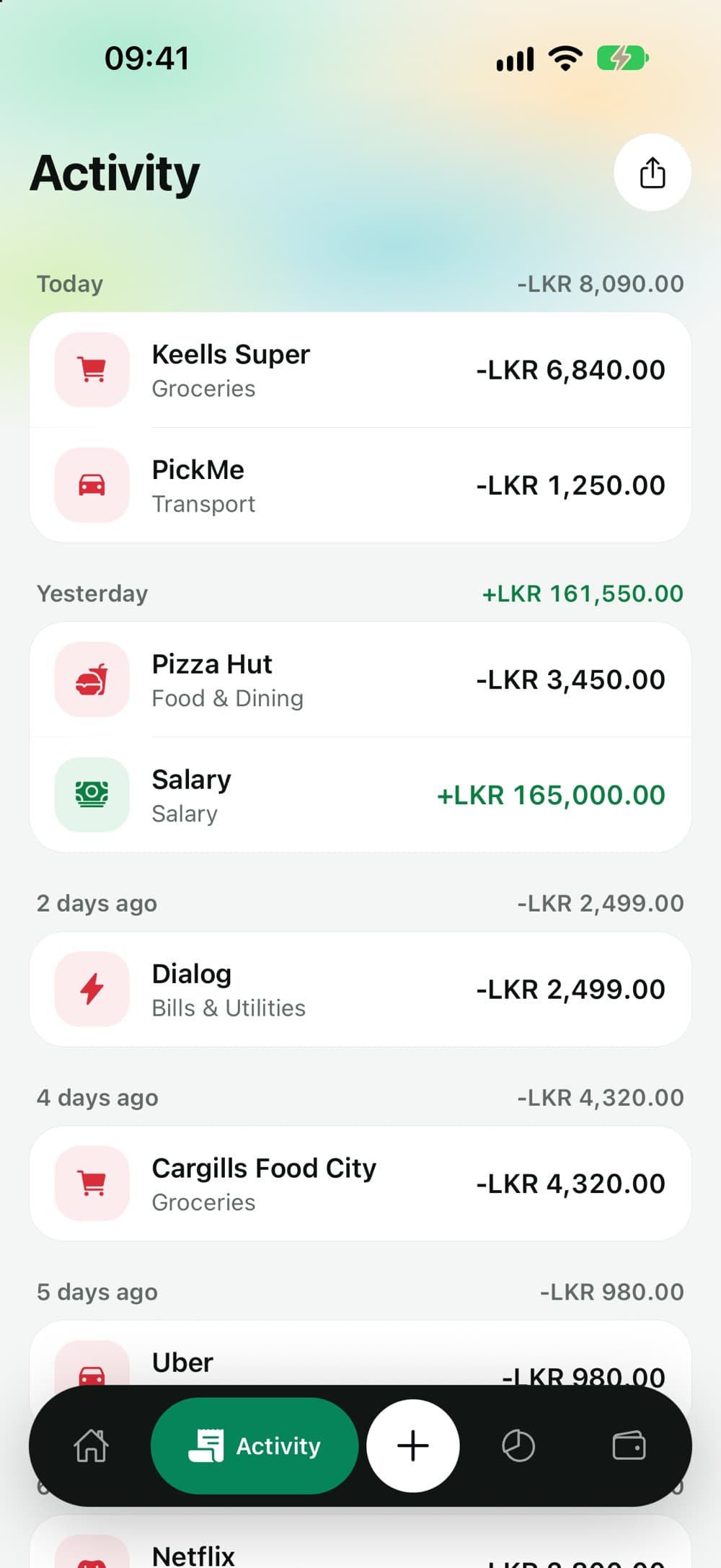
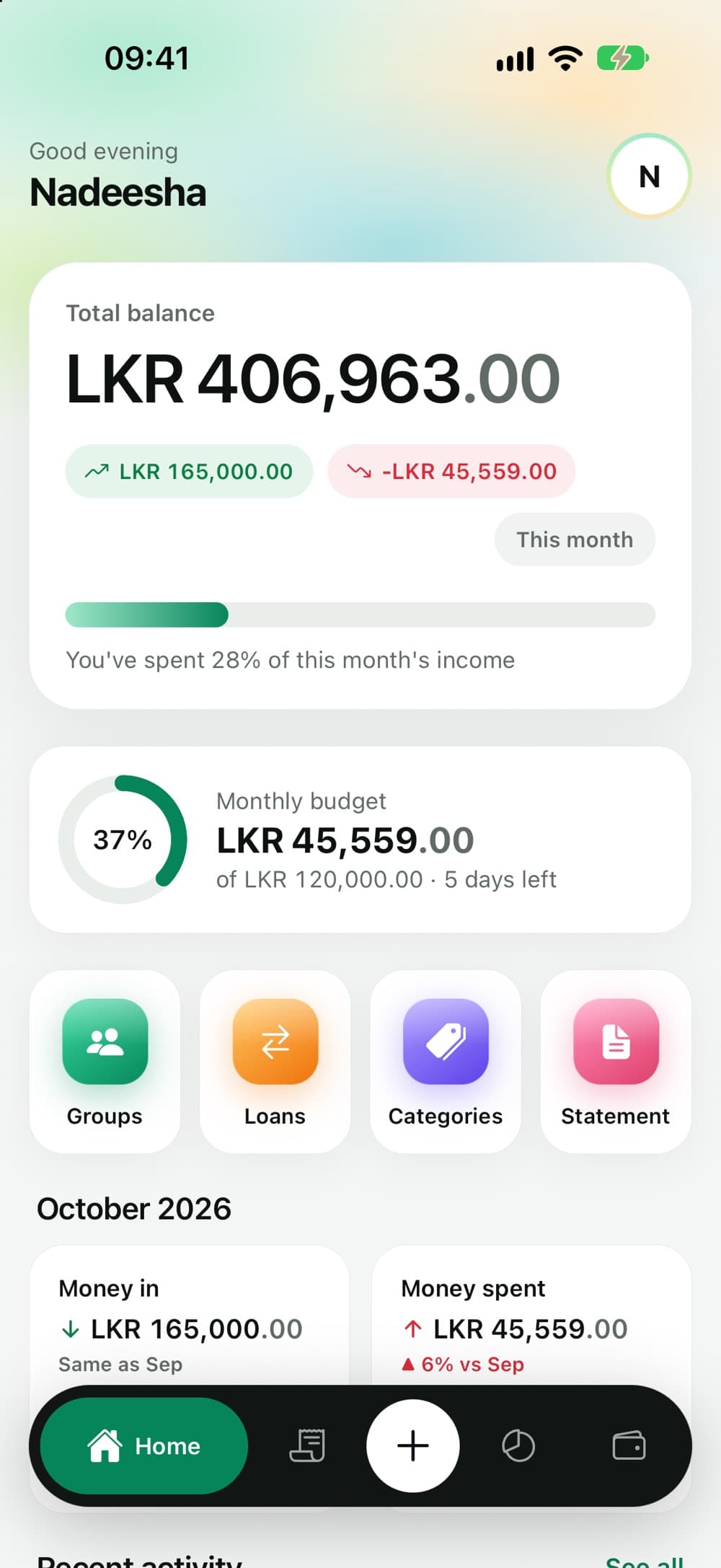
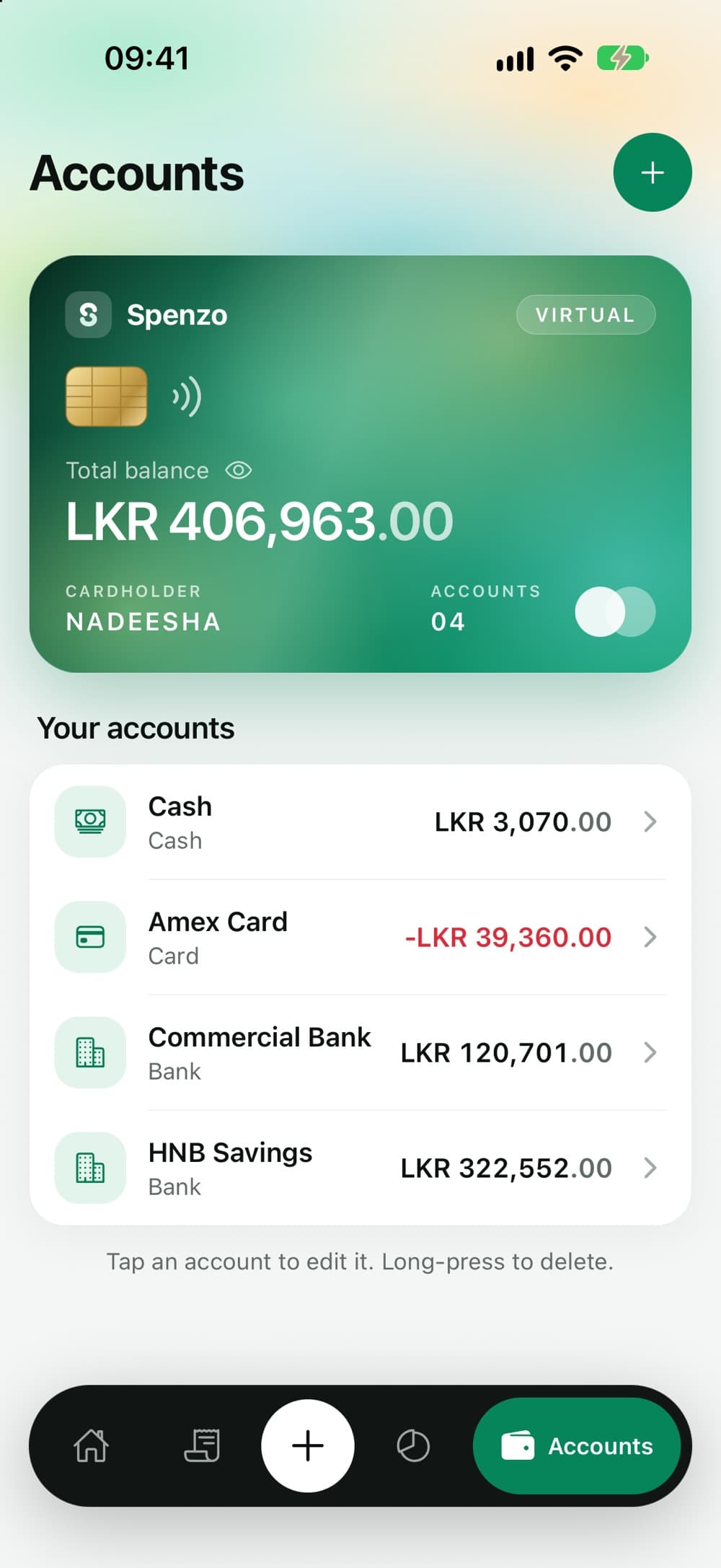
Total balance
LKR 406,963
Quick add · iPhone
Log it before the waiter brings your change.
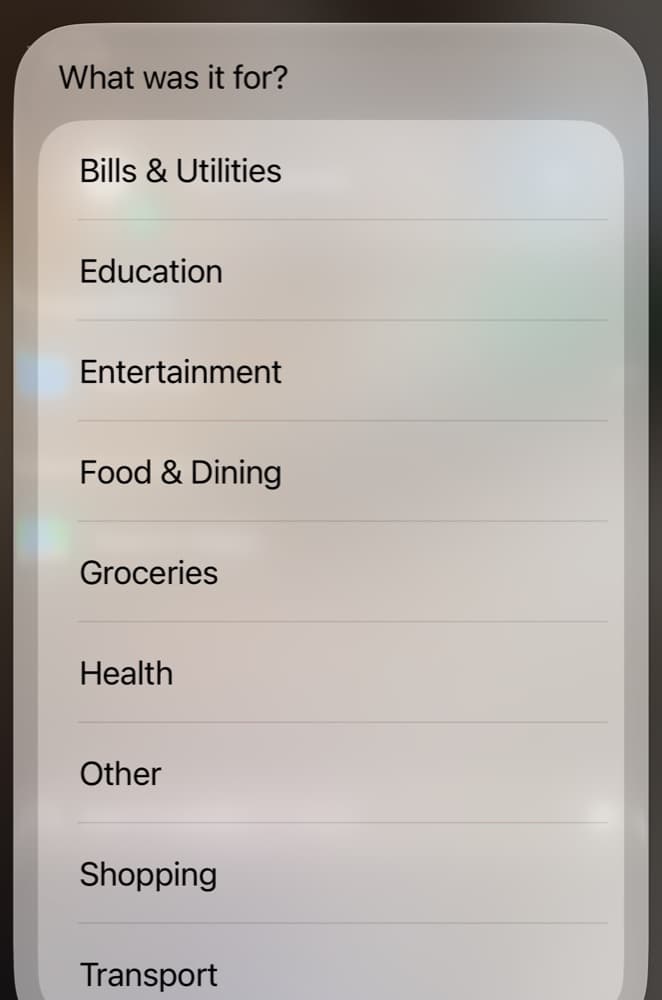
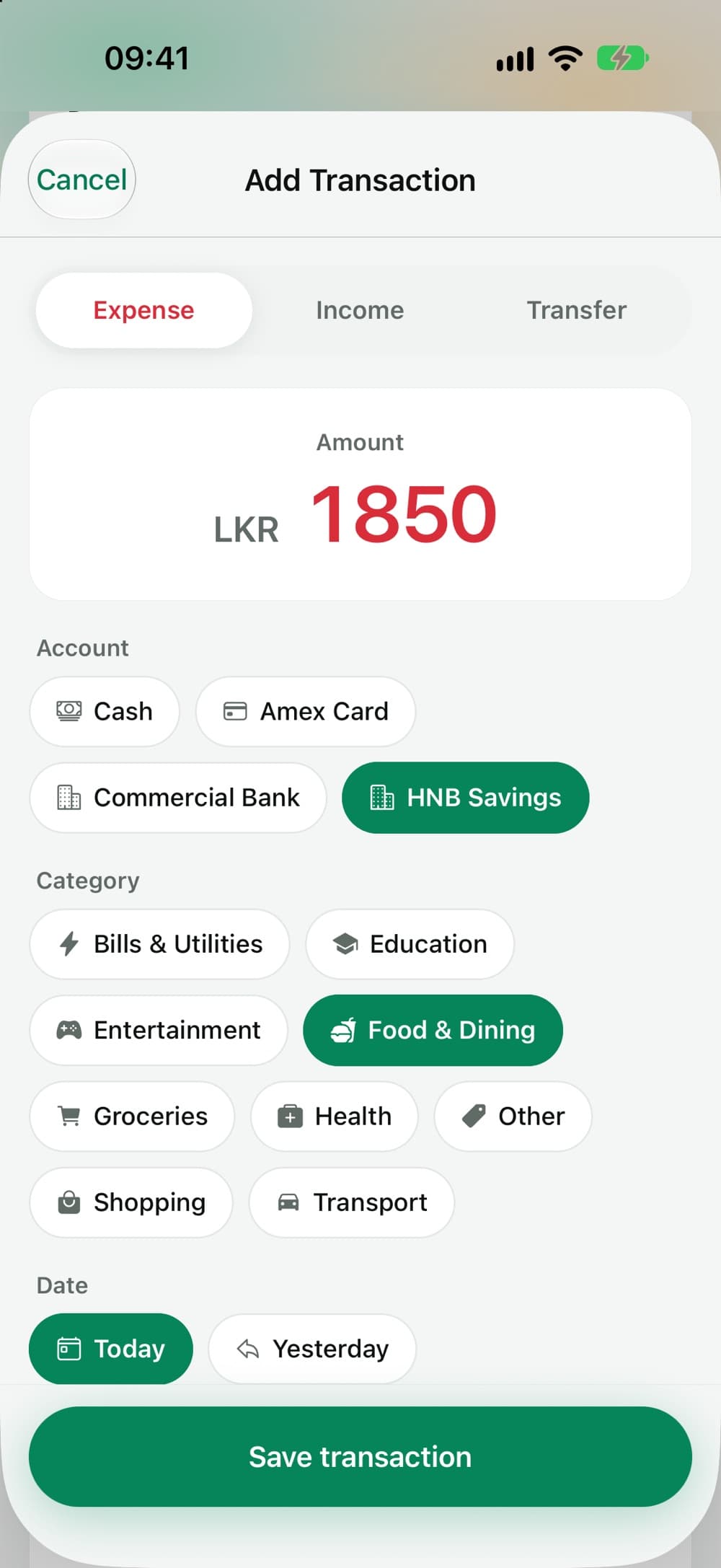
Double-tap the back of your iPhone. Spenzo asks two things, how much and what for, then saves it to your default account. The app never opens.
- 1Double-tap the back of your phone, or ask Siri to “Add expense in Spenzo”.
- 2Type the amount. 450 for the kottu.
- 3Pick a category from your list.
- 4Done. It's in your account and your budget, right away.
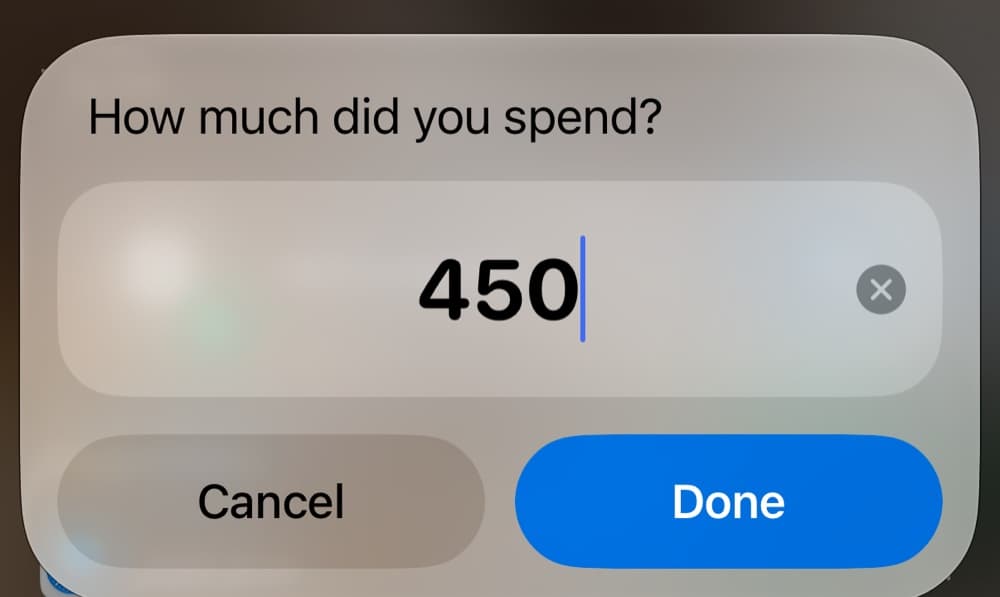 2
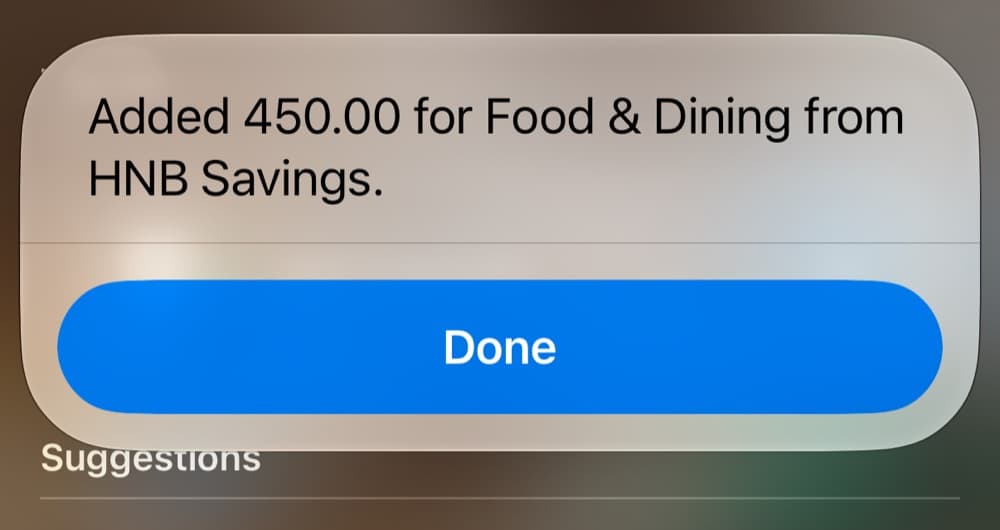 4
 3
Also from Spotlight, Siri and the Action button. Back Tap lives in Settings › Accessibility › Touch.
Bank SMS · iPhone
Your bank already texts you every payment. Now those texts keep your books.
Set up one automation in the Shortcuts app: when a message arrives from your bank, run Log Bank SMS. From then on, card payments, ATM withdrawals, transfers and salary credits land in Spenzo with the merchant, a category and the right account.
- OTPs and offers are skipped
- Your bank sends more than payments. One-time passwords, declined transactions and promotions add nothing.
- The right account, by card number
- Give each account the last digits of its card. The ending in the alert picks the account; anything without one goes to your default.
- Never counted twice
- If the same alert arrives again, or you run it twice, Spenzo logs it once.
- No guessing at exchange rates
- A charge in dollars isn't converted into rupees behind your back. Spenzo tells you and leaves it out.
Built on real alerts from HNB, Commercial Bank and other Sri Lankan banks. Android doesn't let apps read your messages, so this one is iPhone only.
- 17:02 · Message from HNB
- A moment later · Shortcuts runs Log Bank SMS
- In Spenzo · filed under Groceries
Budgets
Five days to go, LKR 74,441 left.
Set one figure for the whole month, then limits for the categories that tend to get away from you. Spenzo shows what's left, what's close to the limit, and how much went on things you never budgeted for.
- Months that end at your midnight. “This month” follows your timezone, not a server's, so a late dinner on the 31st counts where it should.
- Where it goes, at a glance. Spending by category, and this month against last.
- Totals that add up. Every amount is kept to the cent, never rounded, so the numbers match your bank.
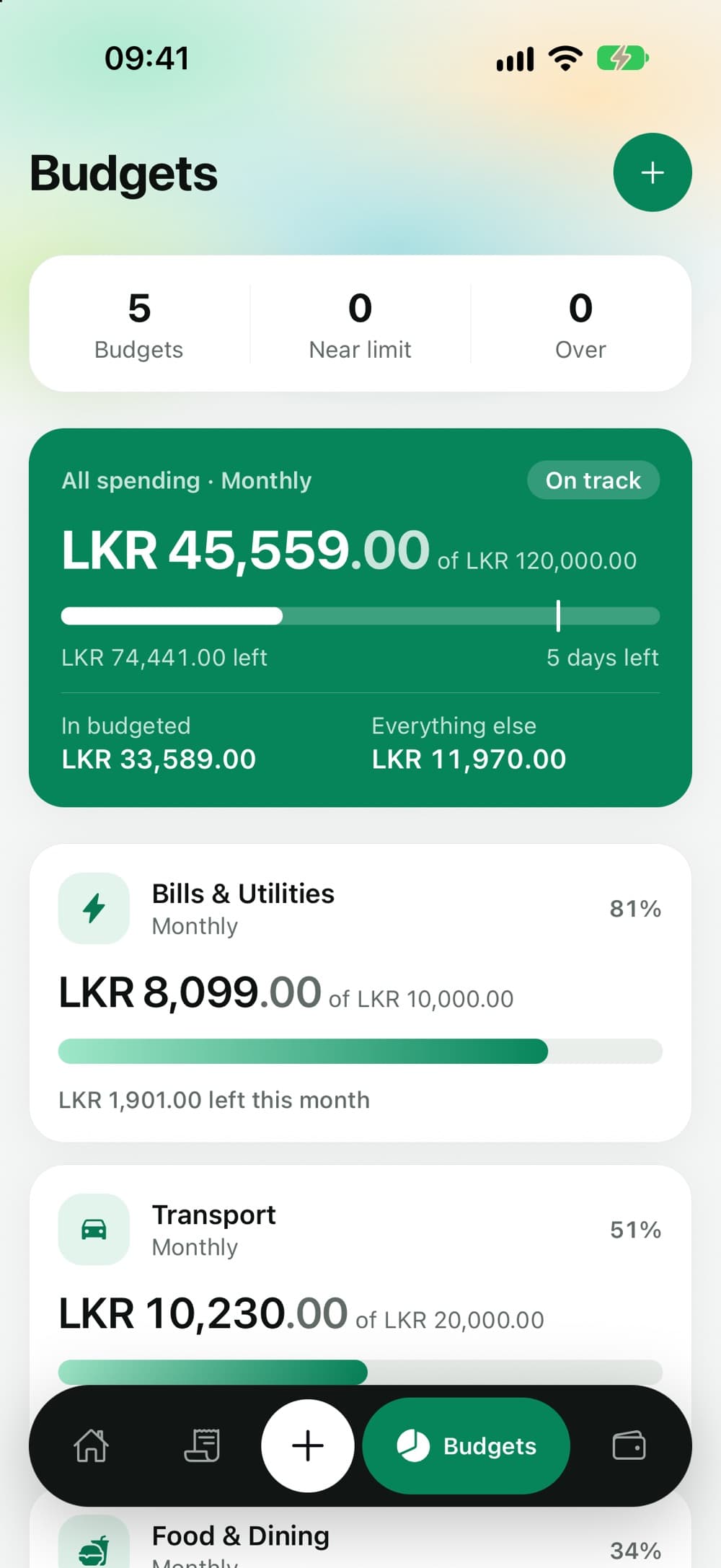
All spending · Monthly
5 days to go
LKR 45,559
of LKR 120,000
- Bills & Utilities81%
- Transport51%
- Groceries45%
- Food & Dining34%
Groups
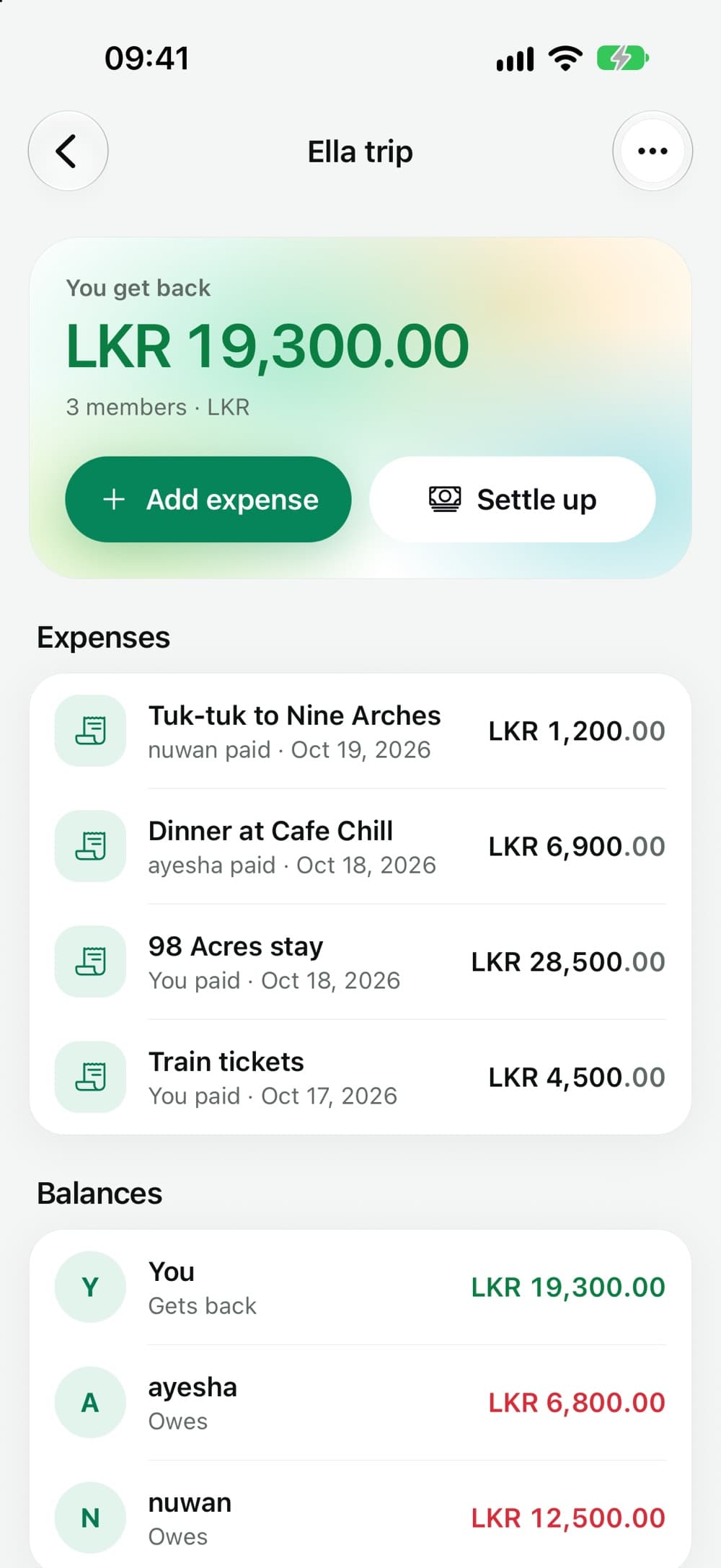
You paid for the train and the stay in Ella. Spenzo did the maths.
Make a group for the trip, the flat or the office lunch club. Whoever pays adds the expense; split it equally, by exact amounts or by percentage. Everyone sees the same balances, and Settle up records it when someone pays you back.
LKR 19,300
Accounts
Savings, current, the credit card and the cash in your wallet. One total.
Add every place your money lives. A card's balance goes below zero as you spend, so the total is what you actually have. Transfers move money between accounts without counting as spending.
Choose a default account once. New expenses start there, and so does anything from quick add or an SMS without a card number.
And the everyday things.
Loans and IOUs
Kasun owes you 15,000 by the 4th. Amma lent you 20,000. Keep both in one list, with due dates.
A web app, too
Everything on your phone is also in the browser, with the same data. Handy at month-end. Open it
Your own categories
The usual ones are there from day one. Add your own for the things only you spend on.
Reminders
A nudge to log the day, and a notification when a friend adds a group expense.
Light or dark
Follows your phone's setting, or pick one in Profile.
Statements
Download any month, or any range of dates, as a PDF or a CSV you can open in Excel.
Privacy
What Spenzo doesn't do.
A money app sees a lot about your life. Here is where ours stops.
Ask for your banking password.
There's no bank connection to break or leak. You add transactions, or hand Spenzo an alert.
Read your inbox.
The SMS automation passes on only the messages from the bank sender you choose. Nothing else on your phone is read.
Show ads or sell your data.
Your spending isn't a product, and there are no trackers on your money.
Keep it after you leave.
Delete your account in Profile and everything you stored is deleted with it.
Questions people ask.
Something else? Get in touch.
No. Spenzo never asks for your online banking login. You add transactions yourself, use quick add, or on iPhone let your bank's SMS alerts log themselves.
It's built and tested on real alerts from Sri Lankan banks, including HNB and Commercial Bank: card purchases, debits, ATM withdrawals, transfers, salary and interest credits. If a message isn't recognised as a payment, nothing is added.
No. Android doesn't allow apps like Spenzo to read your text messages, so automatic SMS logging is iPhone only. Everything else works the same on Android.
In the Shortcuts app, add Spenzo's Add Expense to your shortcuts. Then open Settings › Accessibility › Touch › Back Tap, choose Double Tap and pick it. You can also say “Add expense in Spenzo” to Siri, or put it on the Action button.
Yes. Create a group, add friends by their Spenzo email, and record who paid. Split equally, by exact amounts or by percentage, then settle up when someone pays back.
Any time. Download a statement for any month or date range as a PDF or CSV. If you delete your account from Profile, everything you stored goes with it.
You choose one base currency for your account, LKR by default. Amounts are recorded in it and never converted.
On iPhone, Android and the web. Sign in with the same account and your data is the same everywhere.
Start with this month.
Adding your accounts takes a minute. The picture fills in as you spend. Free to start, no card needed.